Support
Need help with MapswitchPro? Follow the guides below.
iOS Configuration
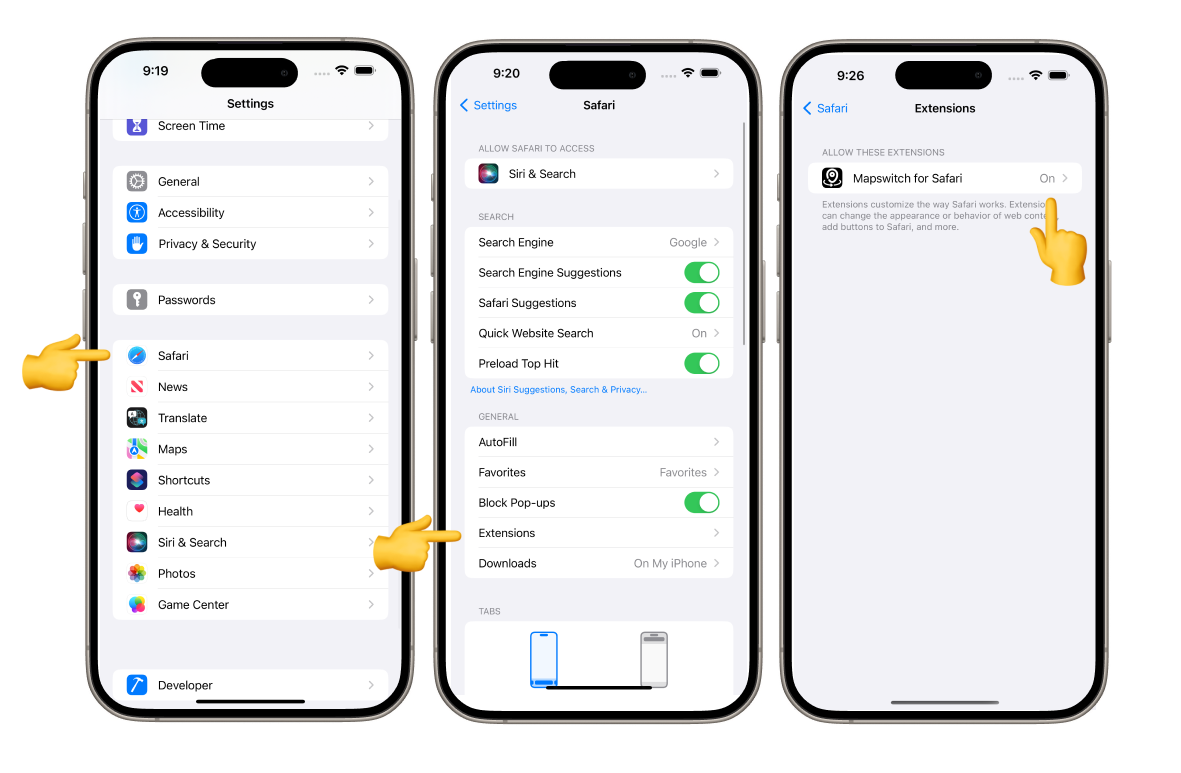
1. Enable the Extension
Open Settings > Safari > Extensions. Toggle MapswitchPro to ON.
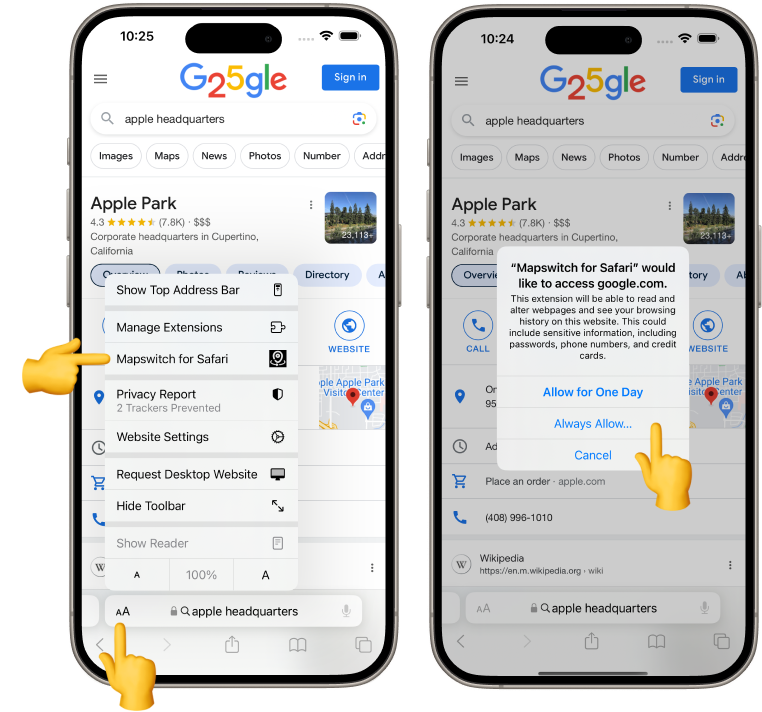
2. Grant Permissions
Ensure you have allowed MapswitchPro to access websites. Without this, the extension cannot intercept Google Maps links.
macOS Configuration
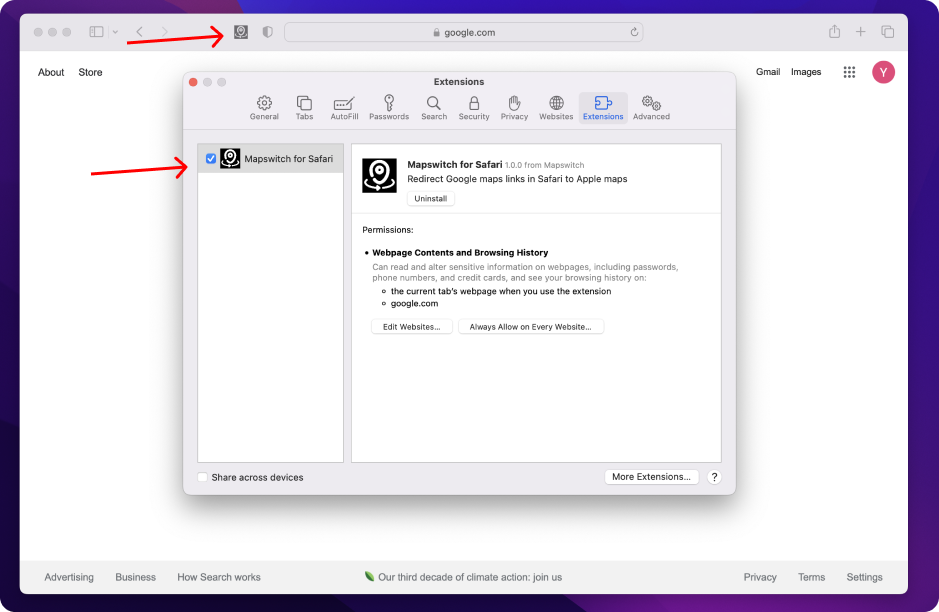
Extension not working?
Open Safari and go to Settings (or Preferences). Under the Extensions tab, ensure MapswitchPro is checked and enabled.
Still need help?
If you're having trouble or want to report a bug, please reach out to us.
support@mapswitch.app